Case Study
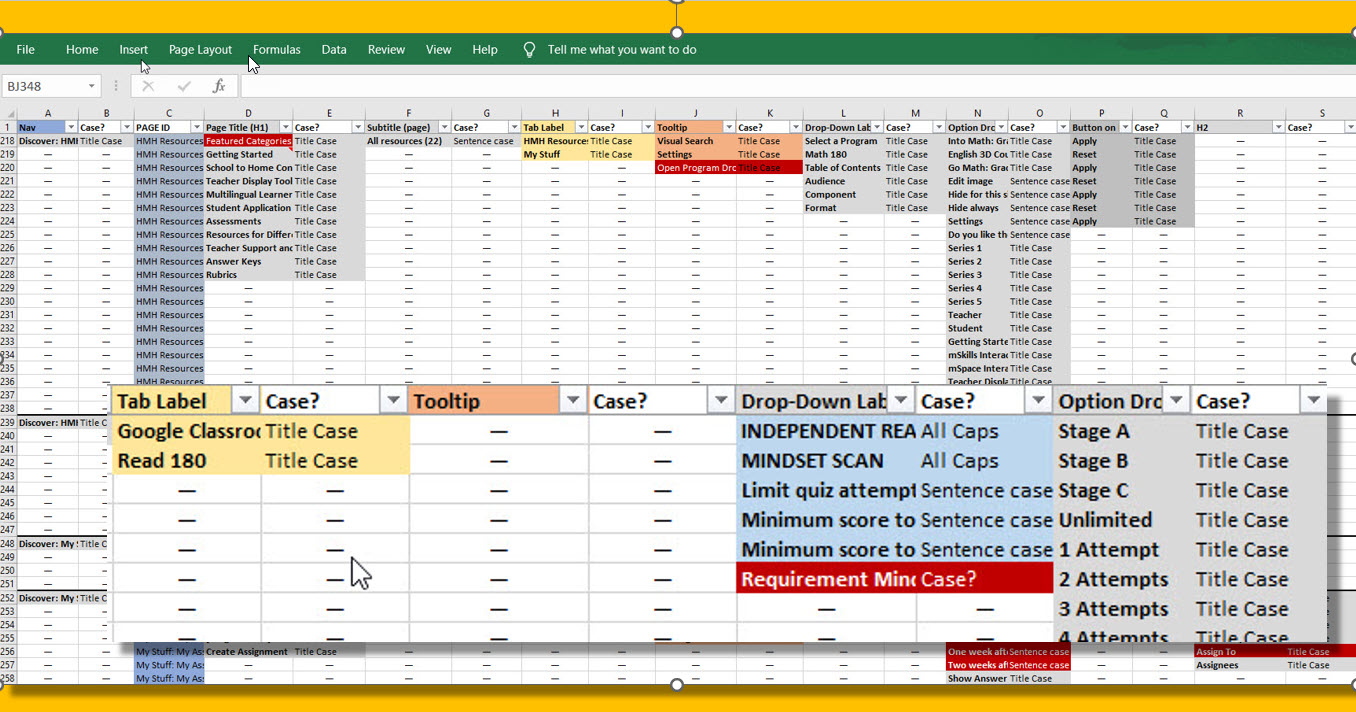
Platform capitalization audit spreadsheet
Overview
The capitalization style we were using was inconsistent across the teacher-facing ed tech platform, but due to its massive scope and intricate design, we weren’t sure how to proceed. We wanted to make and enforce capitalization rules with future additions to the design, but we needed data to support our recommendations.
| Request | Log how we use capitalization across the platform |
| My Roles | Auditor, editor |
| Timeline | 1 month |
| Result | Visibility into capitalization usage; starting point from which to make decisions going forward |
Process
- Review platform
- Add column headers (for UI elements)
- Add row headers (for individual pages, sections)
- Record capitalization usage; note inconsistencies, errors
- Follow and explore all links (on pages, modals, tooltips, popovers)
- Share with supervisor
Highlights
We wanted to know what capitalization conventions had been applied to the copy across the platform. I audited the copy and microcopy, noting both the current state and inconsitencies and errors. To share my findings, I created an Excel spreadsheet that showed the capitalization used on every screen, modal, popover, and tooltip in the platform. I used a color scheme to highlight inconsistencies, questions, and errors.
The main categories I audited were titles, headers, tabs, links, labels, buttons, tooltips, tooltip titles, drop-down menus and elements, form labels, and placeholder text.

Spreadsheet columns showing capitalization findings for page titles on the Ed Sign-In page
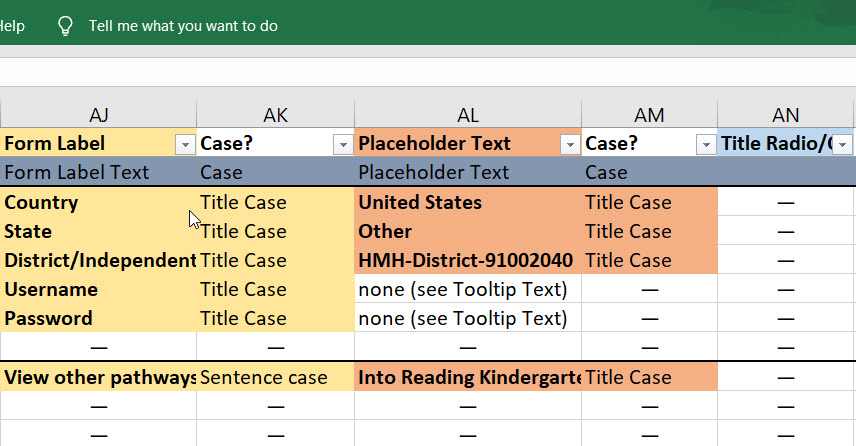
Spreadsheet columns showing capitalization findings for form labels and placeholder text
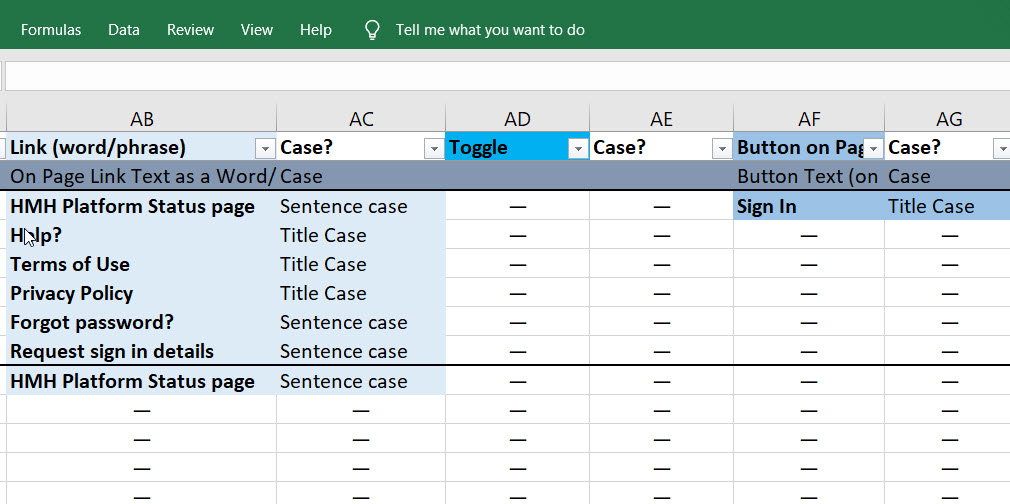
Spreadsheet columns showing capitalization findings for links and buttons
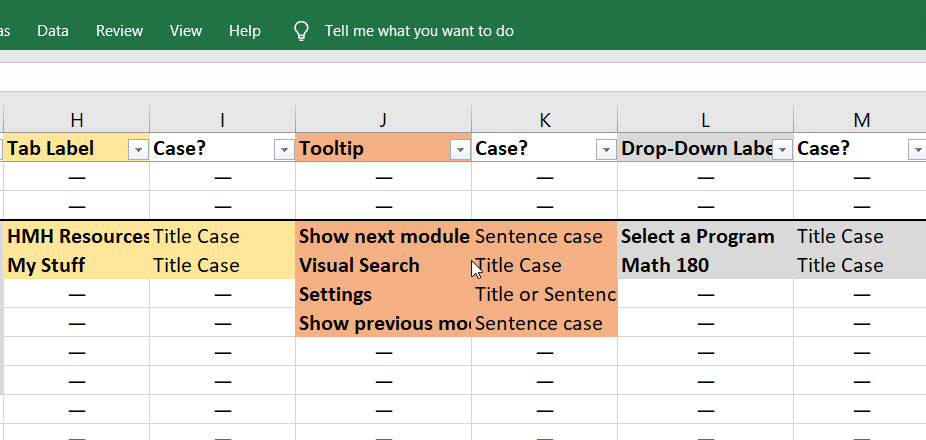
Spreadsheet columns showing capitalization findings for tab labels, tooltips, and drop-down labels
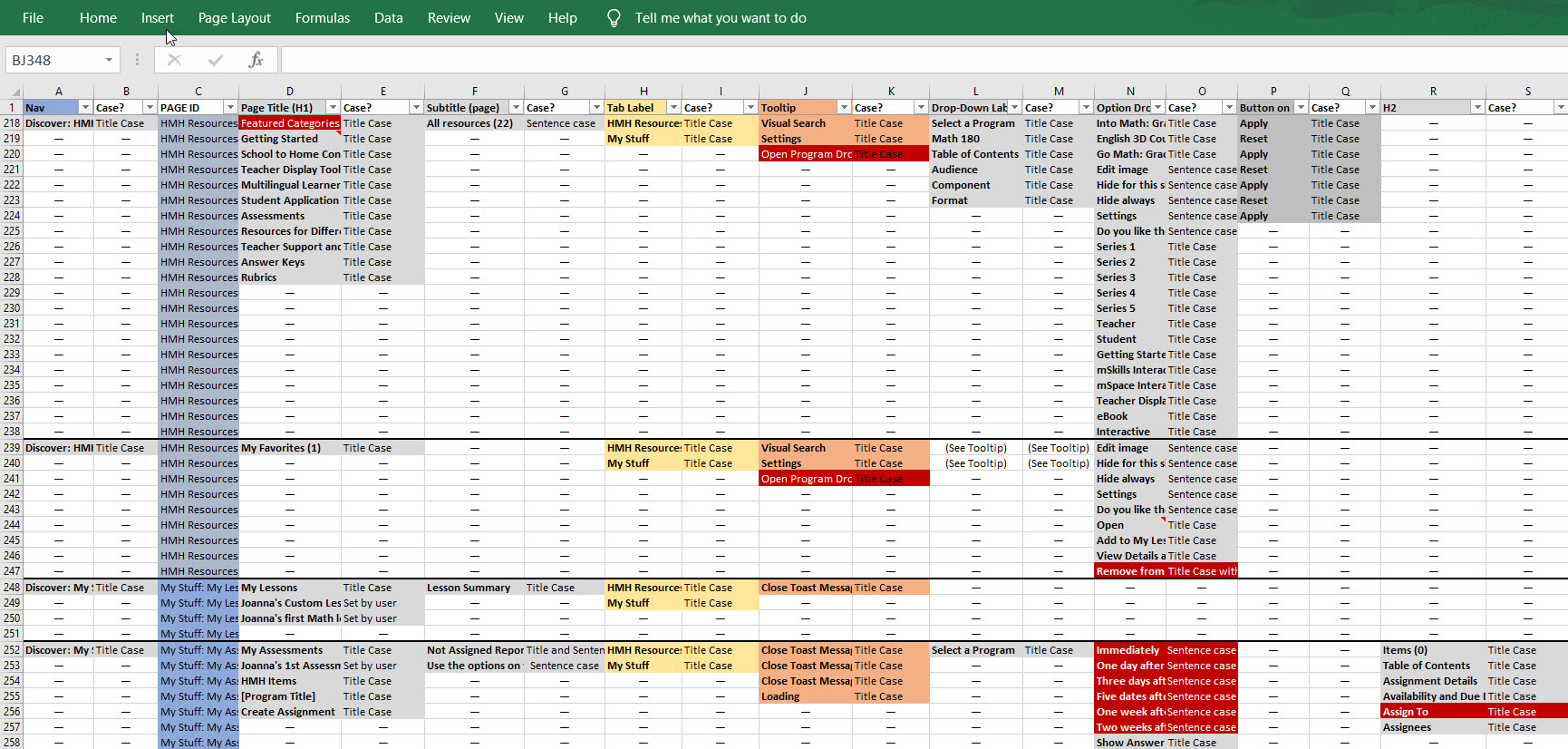
Zoomed out view of the capitalization audit spreadsheet
 Joanna Hofer