Screen Reader Guide


Case Study


Screen reader table of contents includes the following sections: About, Word Choice, Screen Reader Navigation, Ways to Support User Skimming, Style and Punctuation, and Sources.

Overview

Our organization wanted to make all of our content accessible. Few people knew exactly what was meant by “alt text” or how to write or incorporate it. As I researched best practices, I discovered that there were additional steps we could take to make our UI copy delightful for screen reader users.

RequestHelp team make content accessible to screen reader users
My RolesContent Creator, Writer
Timeline6 months
ResultAdoption, provided to vendors

Process

  1. Review alt text writing in WC3 guidelines, design systems, and articles
  2. Draft guide
  3. Request Accessibility Center of Excellence (COE) review
  4. Revise
  5. Set up Miro board for reviews; request stakeholder reviews
  6. Revise
  7. Obtain supervisor review, feedback, approval
  8. Release and socialize

Highlights (stakeholder review on Miro)
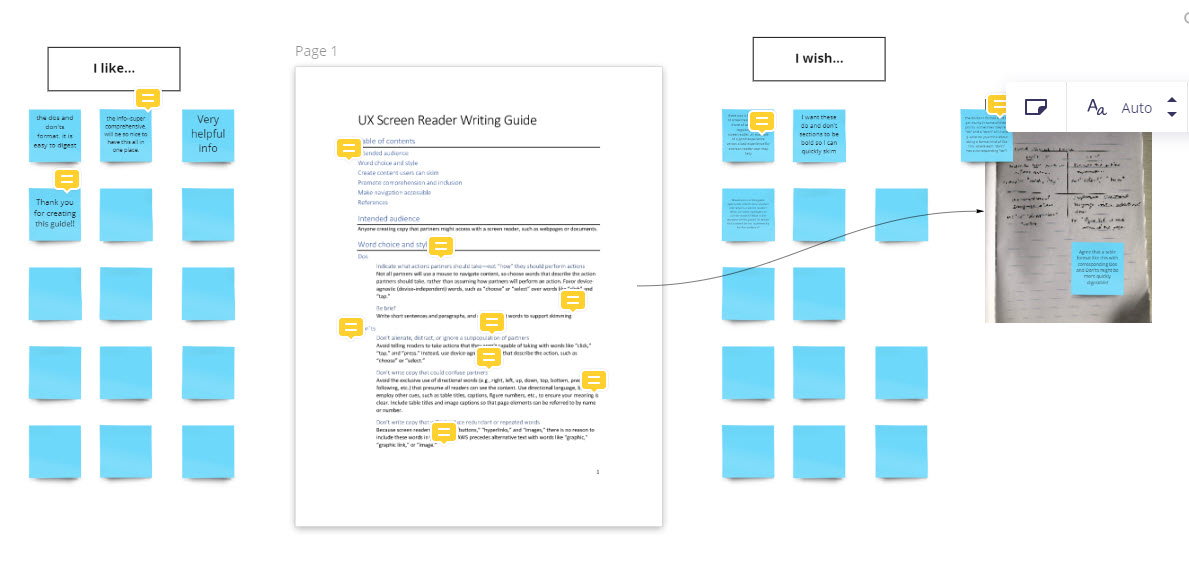
Miro board showing process for collecting team feedback on Screen Reader Writing guide

UX team feedback: I like, I wish notes


Feedback Guidelines Provided to Team for Online Review
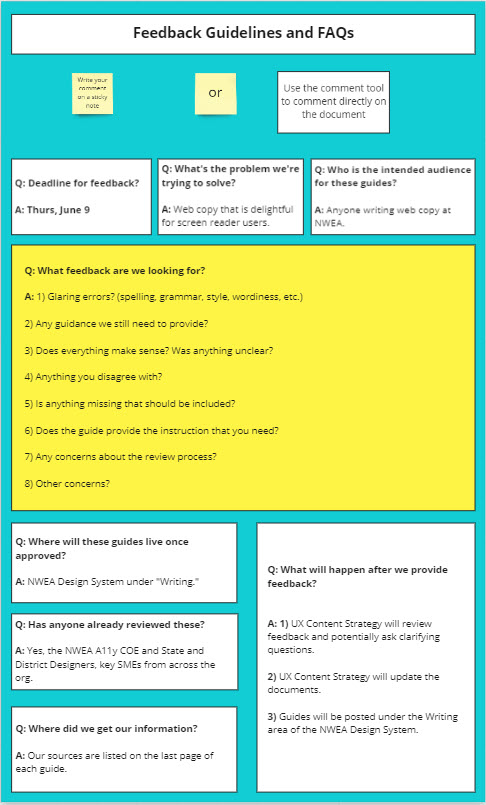
Instructions provided to the team for how to use the Miro board to deliver feedback, including the deadline, problem we were trying to solve, and our intended audience.

Highlights (final version)

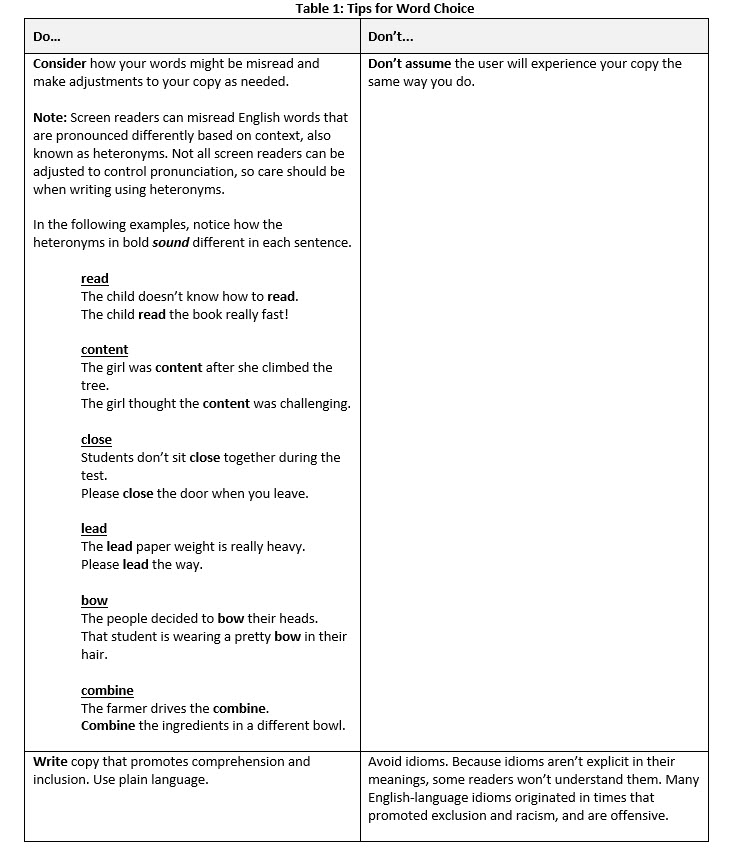
The guide instructs users to consider how our words might be misread and to adjust copy as needed to avoid potential confusion.
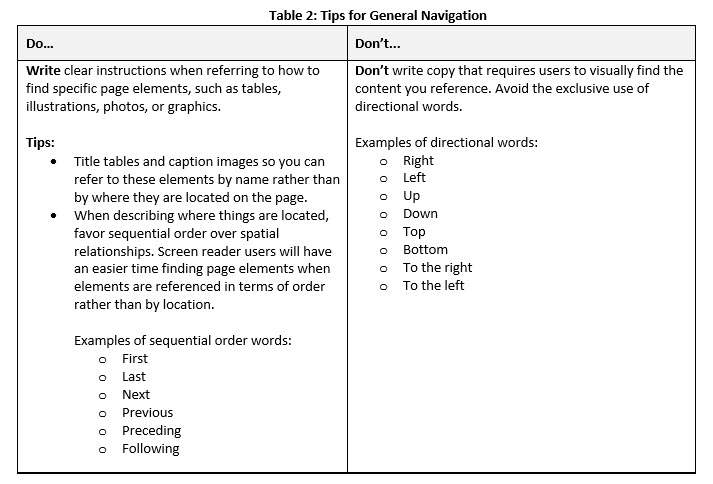
Write clear instructions when describing how to find page elements, such as tables, illustrations, photos, or graphics. Don't write copy that requires users to navigate from a visual reference point ont he screen. Instead use sequential words instead of directional words.
Support User Skimming by writing descriptive headings, subheadings, and hyperlink copy.
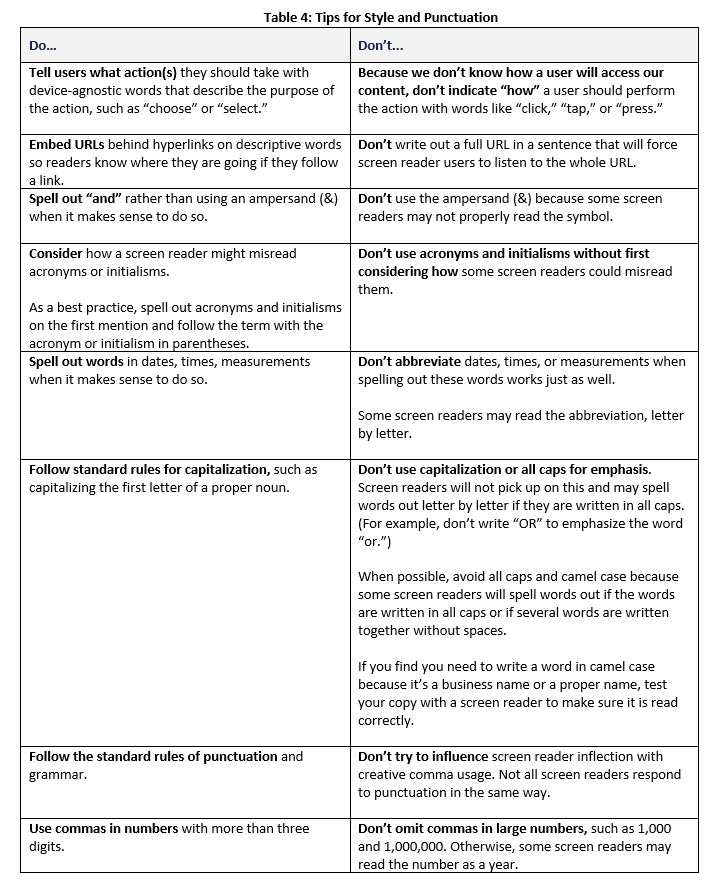
When telling users what action to take use device-agnostic words. Embed hyperlinks. Carefully consider the use of symbols when spelling out words is possible.
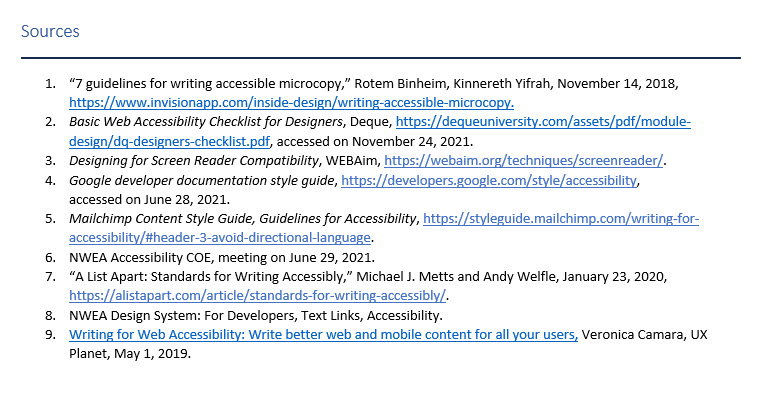
Sources included guidance from the following accessibility experts: Rotem Binheim, Kinnereth Yifrah, Deque, Webaim, Google, Mailchimp, NWEA Accessibility COE, Michael Metts, Andy Welfe, and Veronica Camara of UX Planet.